June 20, 2023
New Privacy Features: Silence Unknown Callers and Privacy Checkup
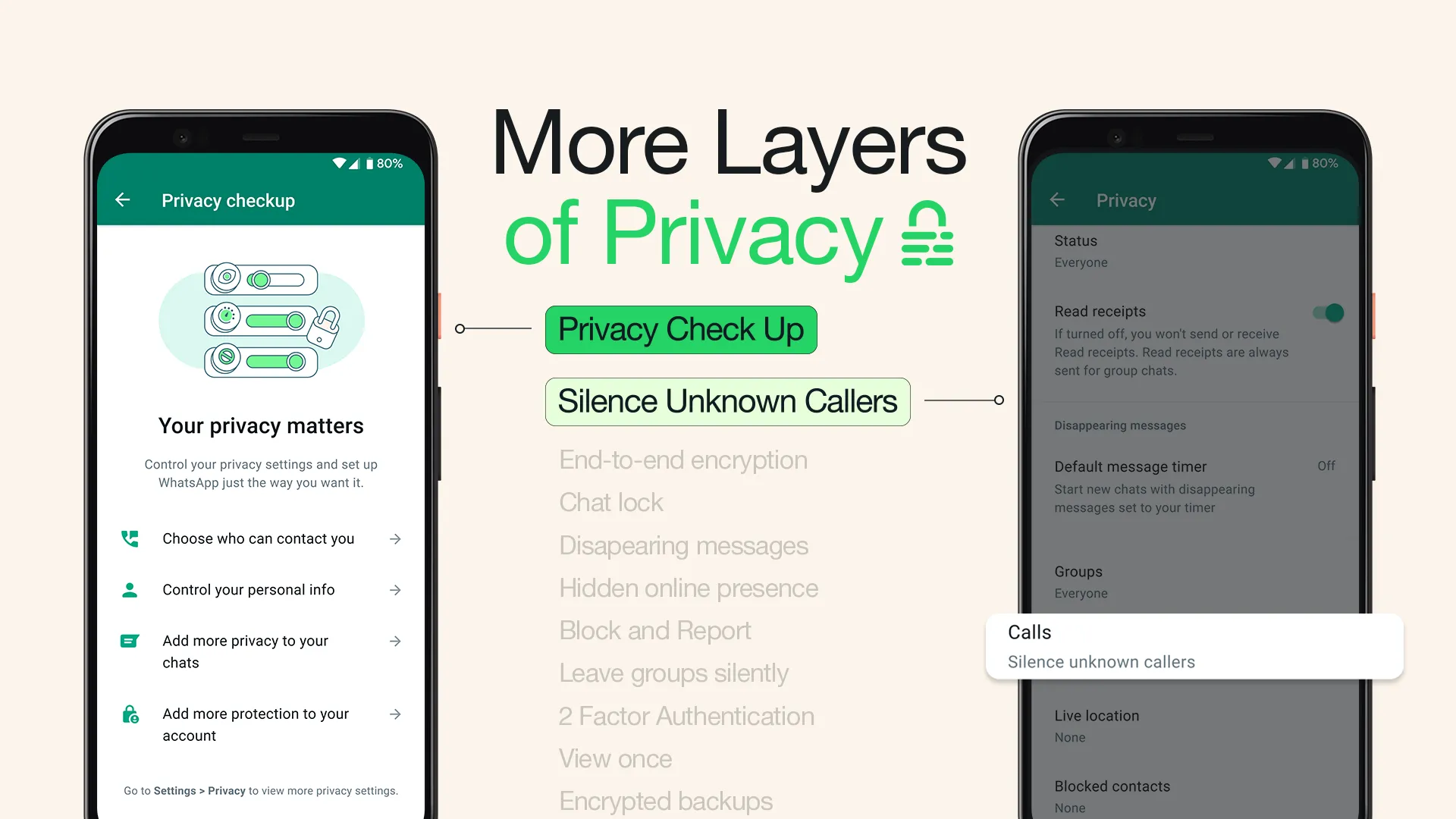
Protecting the privacy of your messages remains the driving force behind what we’re building at WhatsApp. While End-to-end encryption is the foundation to ensure your calls and messages are secure, we continue to add more layers of privacy on top including the recently launched Chat Lock to protect sensitive chats behind a password, Disappearing Messages that vanish, screenshot blocking for View Once, and the ability to keep your online presence private.
Today, we’re excited to add two new updates to this growing list: Silence Unknown Callers and Privacy Checkup, which are available to users now.
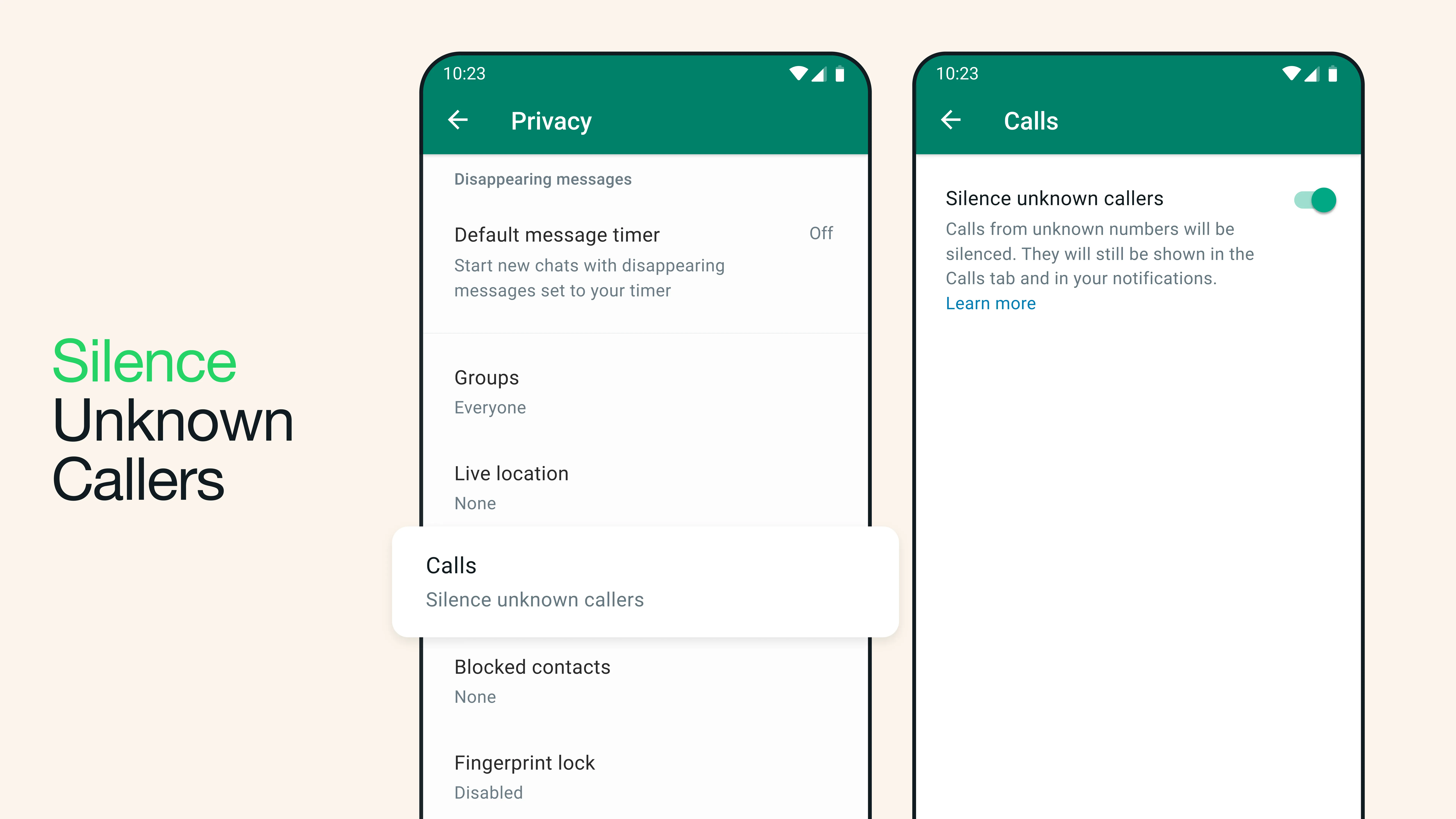
Silence Unknown Callers is designed to give you more privacy and control of your incoming calls. It helps to automatically screen out spam, scams, and calls from unknown people for increased protection. These calls will not ring on your phone, but will be visible in your Call list, in case it turns out to be someone important.
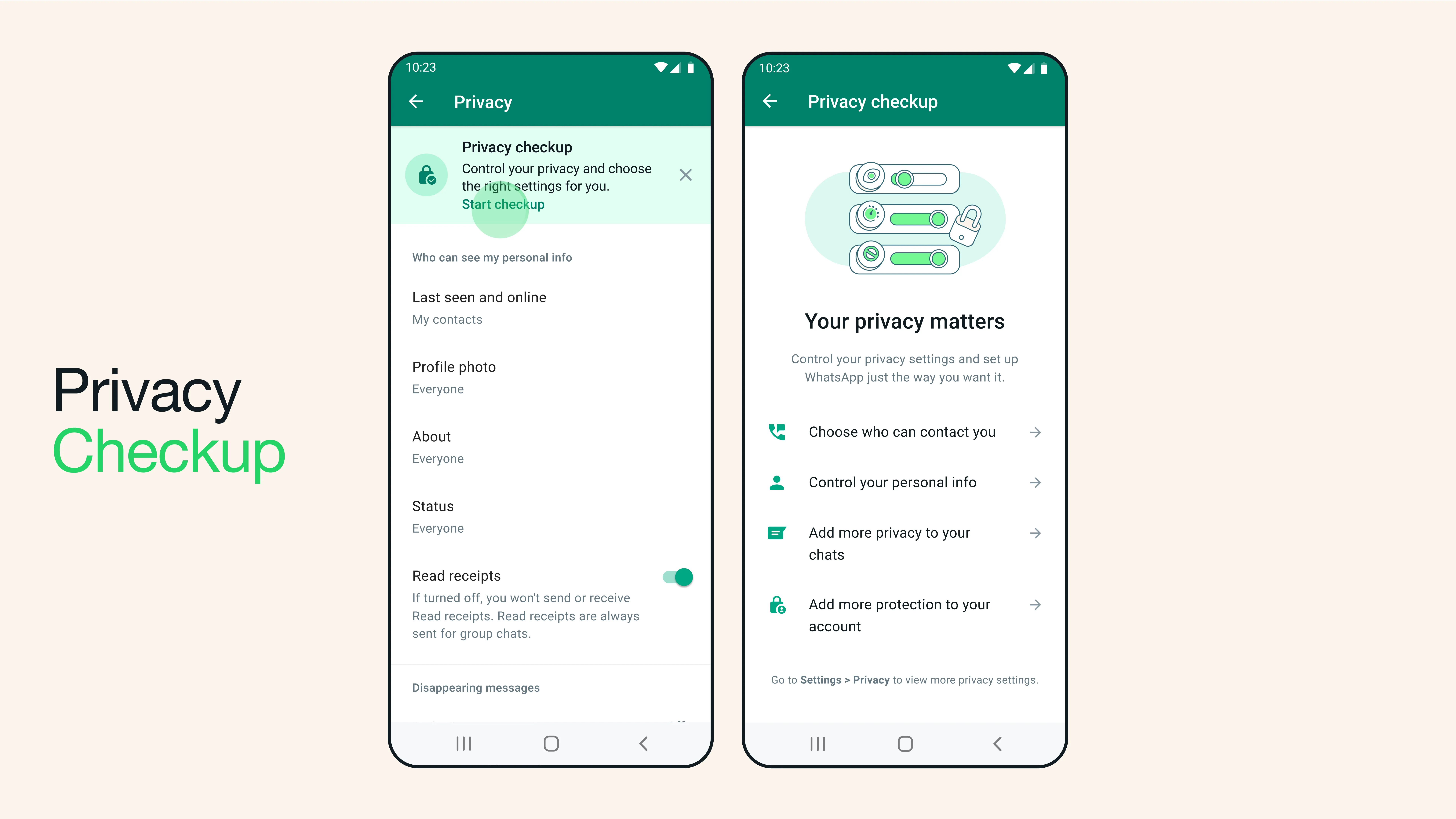
To spread the word, we’re introducing Privacy Checkup to help make sure everyone knows about the options of protection on WhatsApp.
This step-by-step feature guides you through important privacy settings to help you choose the right level of protection, all in one place. Selecting ‘Start checkup’ in your Privacy settings will navigate you through multiple privacy layers that strengthen security of your messages, calls, and personal information.
Securing your private communication is important because we know people need a safe place to communicate. We’re taking this message around the world in new ways to help communicate why this is so important. Starting this week, we’re encouraging people to check in with one another securely via a private message so friends and loved ones know they have a safe space to open up.
