Kenmerke
OproepdiensBoodskapdiensGroepeKanaleMeta AIStatusVeiligheidOuerkontroles
PrivaatheidBlogToepassingsHulpsentrumVir Besigheid
Meld aan
Laai af
Laai af
Terug na blog
WhatsApp Blog

Choose your favorites on WhatsApp

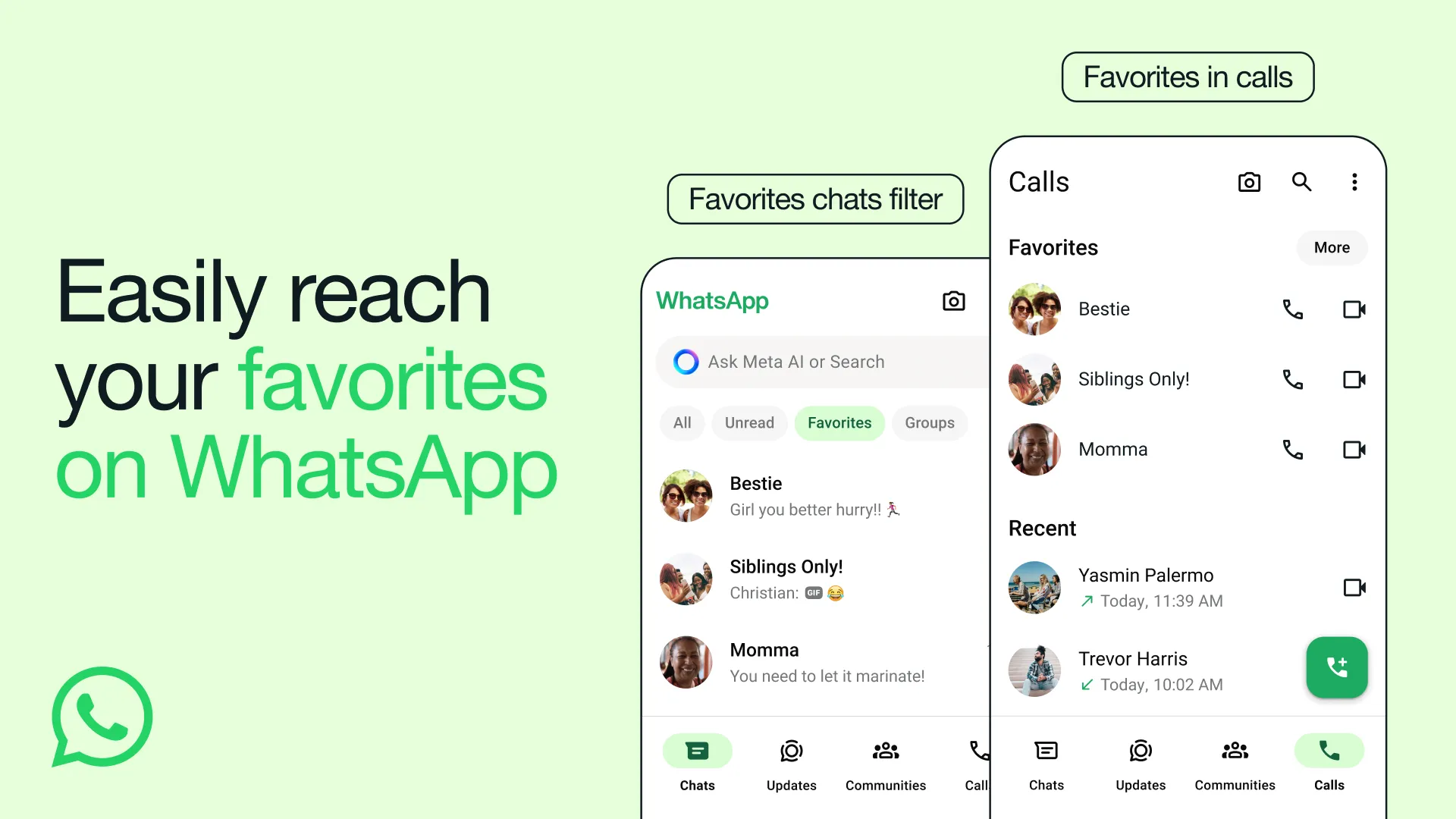
Focusing on your favorites just got a lot easier on WhatsApp. Starting today, you can quickly find the people and groups that matter most at the top of your calls tab and as a filter for your chats.

Whether it’s your family group chat or your best friend, your ‘favorites’ will be the same across your chats and calls, so you can speed dial them from your calls tab too.

To add to your ‘favorites’:

  • From your chats screen, select the ‘favorites’ filter, and select your contacts or groups there.
  • From the calls tab, tap ‘Add favorite’ and select your contacts or groups.
  • Or, simply manage your ‘favorites’ in your settings by going to Settings > Favorites > Add to Favorites, and you can reorder them at any time.

We’re rolling out to users today, and will be available to everyone in the coming weeks.

July 16, 2024

Laai af
WhatsApp-hooflogo
WhatsApp-hooflogo
Laai af

Wat ons doen

  • Kenmerke
  • Blog
  • Sekuriteit
  • Vir besigheid

Wie ons is

  • Meer oor ons
  • Loopbane
  • Handelsmerksentrum
  • Privaatheid

Gebruik WhatsApp

  • Selfoon
  • Rekenaar
  • Tablet
  • WhatsApp Web

Het jy hulp nodig?

  • Kontak ons
  • Hulpsentrum
  • Toepassings
  • Sekuriteitsraadgewings
Laai af

2026 © WhatsApp LLC

Bepalings en PrivaatheidsbeleidTerreinkaart
  • Afrikaans
  • azərbaycan
  • Bahasa Indonesia
  • català
  • čeština
  • dansk
  • Deutsch
  • eesti
  • English
  • español
  • Filipino
  • français
  • Gaeilge
  • hrvatski
  • italiano
  • Kiswahili
  • latviešu
  • lietuvių
  • magyar
  • Melayu
  • Nederlands
  • norsk bokmål
  • o‘zbek
  • polski
  • Português (Brasil)
  • Português (Portugal)
  • română
  • shqip
  • slovenčina
  • slovenščina
  • suomi
  • svenska
  • Tiếng Việt
  • Türkçe
  • Ελληνικά
  • български
  • қазақ тілі
  • македонски
  • русский
  • српски
  • українська
  • עברית
  • اردو
  • العربية
  • فارسی
  • मराठी
  • हिन्दी
  • বাংলা
  • ਪੰਜਾਬੀ
  • ગુજરાતી
  • தமிழ்
  • తెలుగు
  • ಕನ್ನಡ
  • മലയാളം
  • ไทย
  • 한국어
  • 日本語
  • 简体中文
  • 繁體中文(台灣)
  • 繁體中文(香港)