Funciones
LlamadasMensajesGruposCanalesMeta AIEstadosSeguridad
PrivacidadBlogAplicacionesCentro de ayudaPara empresas
Iniciar sesión
Descargar
Volver al blog
Blog de WhatsApp

Introducing Touch ID & Face ID

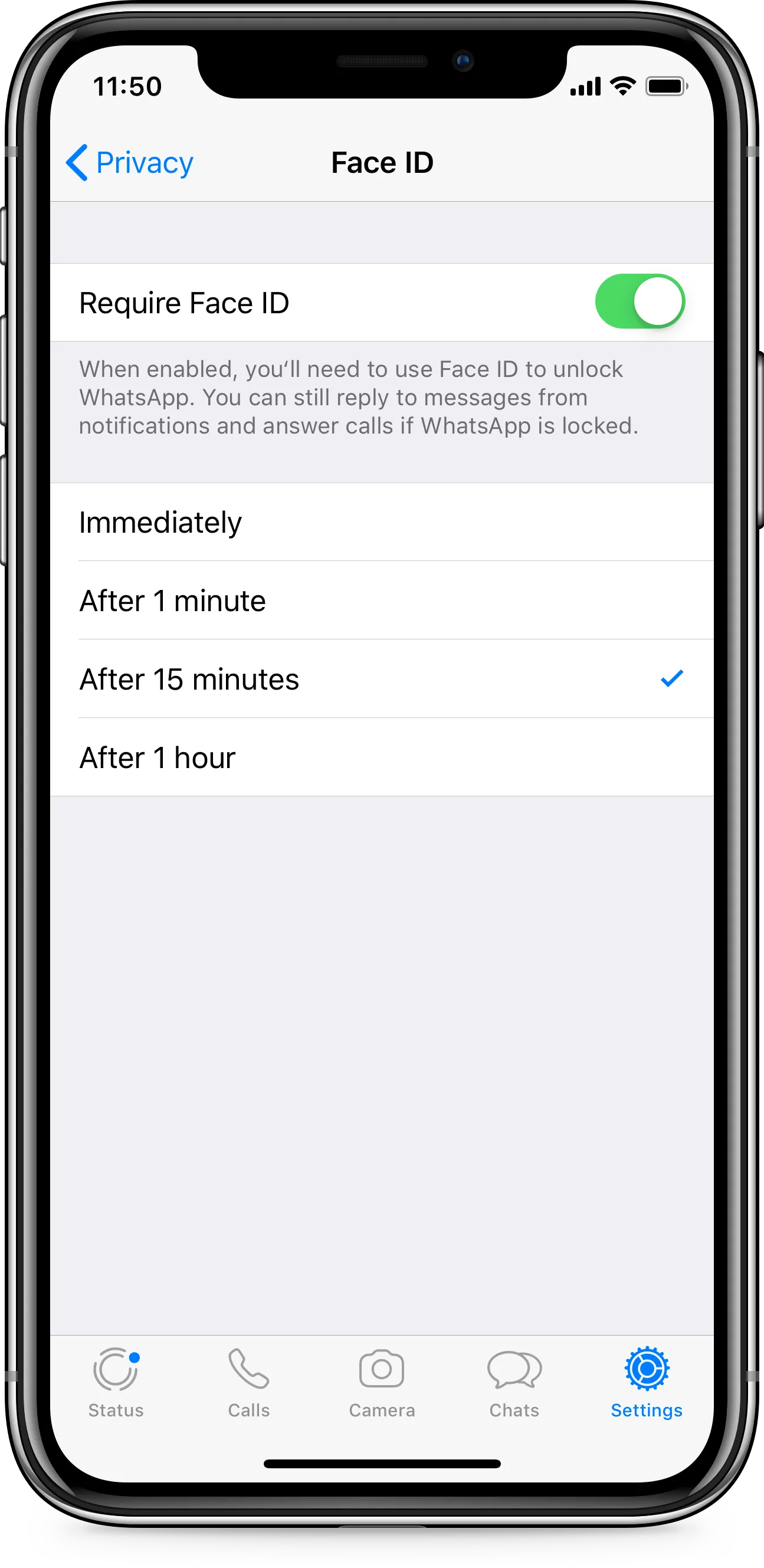
At WhatsApp, we care deeply about private messaging, and today we're excited to introduce Touch ID and Face ID on iPhone to help prevent someone from taking your phone and reading your messages.

To enable the iPhone feature in WhatsApp, tap Settings > Account > Privacy > Screen Lock and turn on Touch ID or Face ID. You have the option to select the amount of time before Touch ID or Face ID is prompted after WhatsApp is closed.

This feature is available on iPhone 5s or later and on iOS 9 and above starting today.

February 4, 2019

Descargar
Logotipo principal de WhatsApp
Descargar

Lo que hacemos

FuncionesBlogSeguridadPara empresas

Quiénes somos

Acerca de nosotrosEmpleosCentro de marcaPrivacidad

Usa WhatsApp

AndroidiPhoneMac/PCWhatsApp Web

¿Necesitas ayuda?

ContáctanosCentro de ayudaAplicacionesAvisos de seguridad
Descargar

2026 © WhatsApp LLC

Condiciones y Política de privacidadMapa del sitio