April 9, 2025
New Feature Roundup: Updates to group chats, events, calls, channels and more
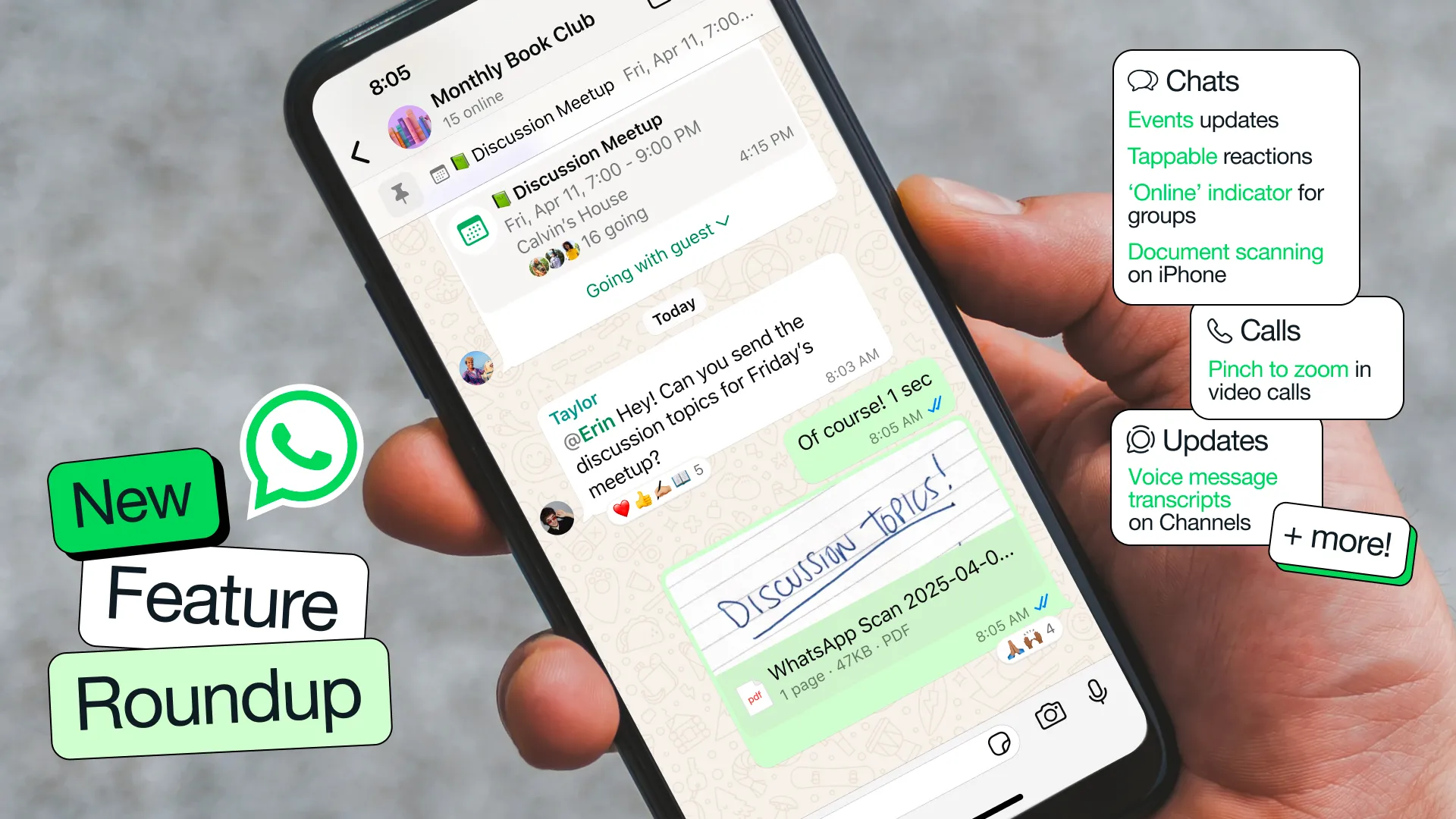
With new features and updates being added all the time, it can be easy to miss out on useful and exciting ways you can use WhatsApp. To keep you in the loop, we’ll be sharing regular roundups of the latest updates, tools, and settings. Today’s roundup includes features that have rolled out recently to make your conversations and calls more enjoyable, and improve your Channels experience.

Chats
Your place for private and encrypted chats with family and friends
‘Online’ indicator in group chats: To help you know if people are around to chat, you can now see how many people are ‘Online’ in real-time, right under the group name.
Highlight notifications in groups: Need an easy way to prioritize your group chat notifications? Use the new ‘Notify for’ setting and select ‘Highlights’ to limit notifications for @mentions, replies, and messages from saved contacts or ‘All’ to receive all notifications.
Events updates: In addition to creating events in groups, you can now create an event in a 1:1 conversation. We’ve also added the ability to RSVP as ‘maybe,’ invite a plus one, add end date and time for longer events, and pin the event in a chat.
Tappable reactions: Sometimes you just want to +1 to what someone else said. Now you can quickly view everyone else’s reactions and tap the one you want to send.
Document scanning on iPhone: Scan and send documents directly from WhatsApp on iPhone. Simply select ‘Scan document’ from the attachment tray and follow the steps to scan, crop, and save the document.
Default App for iPhone: With the latest iOS update, you can now also set WhatsApp as your default messaging and calling app on your iPhone. To make the switch, simply go to Settings > Default Apps and select WhatsApp.

Calls
A dedicated tab to make new calls, share call links, and manage your call history, all in one place
Pinch to zoom in video calls: iPhone users can now pinch to zoom in on a video while on a video call to get a closer look at your own or peer video.
Add to call from a chat: Add someone to an ongoing 1:1 call directly from a chat thread by tapping the call icon on the top and selecting ‘Add to call’.
Enjoy smoother video calls: We've upgraded our technology to make your video calls more reliable and higher quality. Our optimized routing system finds the best connection path, reducing dropped calls and video freezing. And our improved bandwidth detection quickly upgrades your video to HD quality for a more enjoyable experience.

Updates
This tab is home to Status and Channels, and is separate from your personal chats
Video notes for Channels: Similar to chats, Channel admins can now instantly record and share short videos (60 seconds or less) with followers.
Voice message transcripts on Channels: You can now get a written summary of voice message updates from channels when you’re on the go and can’t listen to them.
QR codes: As a channel admin, you can now share a unique QR code that links directly to your channel, making it easy to share with others and grow their audience.
Stay tuned for more new features and updates soon!